Drag Clicking — How My Kid Practices It (Mouse Setup & Grip Tape)
"Saw it on YouTube — I want to try it!" — my 11-year-old's drag-click journey. What drag clicking is, where it's used, and the actual mouse (Glorious MODEL I 2 Wireless) and grip tape (Pulsar Supergrip) setup my kid tried.
Introduction — Saw It On YouTube, Wanted To Try It
One day my 11-year-old was watching Minecraft PvP videos on YouTube and said: *"Mom, I want to try drag clicking! Then I can brag to my friends!"* As a parent, the first question was "what's drag clicking?" My kid explained: *"It's that technique where you place blocks super fast in Bridge."* So the motivation wasn't catching up to friends — it was *wanting to try it themselves + wanting to brag to friends*.
This article is the *journey of my kid learning drag clicking over a few weeks*, plus the actual usage of the mouse and grip tape they bought with their own money. Hopefully useful for parents whose kids are getting interested in Minecraft PvP and Bridge.
1. What Is Drag Clicking?
Drag Clicking — instead of pressing the mouse button normally, you slide your finger across the button surface to create rapid consecutive clicks.
The mechanism is the *stiction-slip effect* — your finger briefly sticks to the surface and slips off, the rapid vibrations registering as clicks. Normal clicking caps around 6–8 CPS (Clicks Per Second), but *drag clicking can hit 30+ CPS*.
In simple terms: instead of "pressing" the mouse button, you're "scraping it down" with your finger. Looks magical at first, but *mouse surface, finger friction, and angle* must all align.
2. Where Is It Used? (Bridge Is the Core)
Drag clicking shines in Minecraft PvP minigames:
Bridge — The Core
Popular minigame on servers like *Hypixel*. Two islands, place blocks fast to build a bridge to score in the opponent's goal. More blocks placed per second = advantage → fast clicking = winning. Click speed matters especially for advanced techniques like *God Bridging*.
Other PvP Minigames
- SkyWars: fast sword swings + block placement
- BedWars: bed breaking + defensive block placement
- Crystal PvP: rapid End Crystal placement
- Survival Games: fast sword combat
Common thread: *click speed decides the match*. Normal clickers (6–8 CPS) almost can't beat drag clickers (30+ CPS).
3. Is It Cheating? — Watch the Server Policy
Important: drag clicking is a *physical mouse technique*, not cheating like macros or hacks. But depending on server policy, *high CPS itself* can raise suspicion.
- Hypixel: drag clicking itself is not banned. The principle is *"one finger, one button"* — as long as *you* are producing the clicks. What is banned is autoclickers and macros.
That said, the anti-cheat (Watchdog) has been reported to mistake unusually high or erratic CPS for an autoclicker and issue false bans. The community treats roughly 20–25 CPS on left click as the safe ceiling.
- Other servers: rules vary. Check the rules of whichever server your kid plays on, together, in advance.
- Friend / family servers: free to use (server admin decides rules)
Recommended to pre-explain to kids: *"On public servers, click slower than you do on the friend/family server."* One sentence protects your kid's account.
Our family rule: *drag click freely on family/friend servers*, *normal clicking only on public servers like Hypixel*.
4. The Approach My Kid Took
While working on drag clicking, my kid bought two pieces of gear *with their own allowance money*. The "with their own money" aspect mattered a lot — kids learn through self-directed decision/purchase/management.
4-1. Mouse — Glorious MODEL I 2 Wireless (Black)

The mouse my kid bought *with their own allowance*. Took nearly a month of comparison.
Why my kid chose it (in their own words):
- Large button area — long drag length gives *more space to scrape your finger*
- Wireless — no cable means no resistance during movement
- Light — in my kid's words, "my hand doesn't get tired"
- Ergonomic design — fits an 11-year-old's hand well
My (parent) impression after trying it:
- *"The mouse that teaches you why expensive mice exist"* — weight, accuracy, response are clearly different from average mice
- It became the item my kid owns that I most want to borrow (I confess, I did borrow it once)
Drag clicking suitability:
- The Glorious series is *one of the recommended mice* in the drag-clicking community. The matte surface creates good friction
- But *the stock surface alone wasn't enough for my kid* — which is why the next step, grip tape, was needed
4-2. Grip Tape — Pulsar Supergrip DIY Sheet Grip Tape
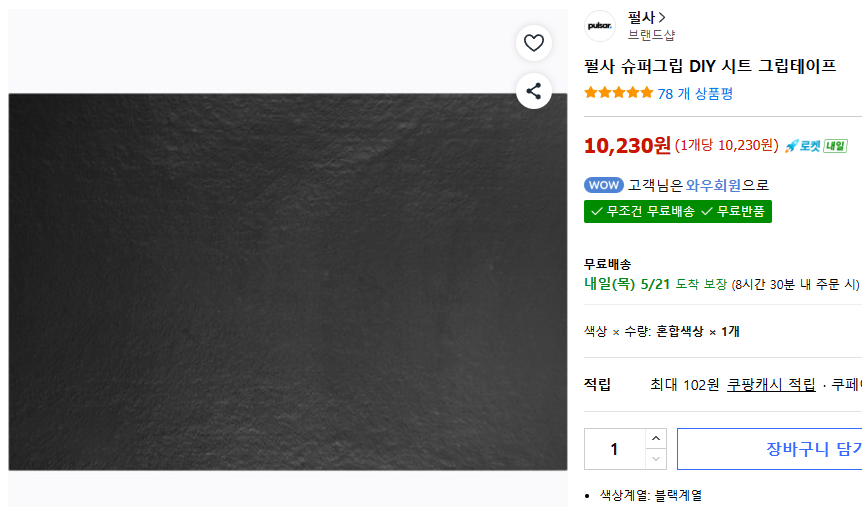
The second thing my kid tried — anti-slip. This turned out to be *the key to drag-click success*.
First attempt — Black electrical tape (failed):
- Tried the commonly recommended "black electrical tape"
- Result: *didn't work well*. Surface too smooth or adhesion insufficient
- Kid frustrated: "this isn't working"
Second attempt — Pulsar Supergrip grip tape (success):
- Bought from Coupang for about 10,230 KRW (Pulsar brand shop)
- *DIY sheet form* — user cuts to desired size and applies to mouse buttons
- After application, *first drag-click success*
Strengths of Pulsar Supergrip:
- Beginners can do it too — better friction and adhesion than black electrical tape
- Large size — one sheet lasts many tries (re-do if applied poorly)
- DIY flexibility — cut to fit your specific mouse button shape
- 78 reviews averaging 5 stars (at time of purchase) — a vetted product
The kid cutting and applying the sheet to the mouse themselves became its own *"tune my mouse myself"* family learning activity.
5. Result — How My Kid Became Able to Drag Click
After the two stages, kid's progression:
- First week: only the mouse changed — not much difference from normal clicking
- After grip tape: first drag-click success — the moment kid shouted *"Mom, it worked!"*
- After 2–3 weeks of practice: stable, fast clicking achievable
- After a month: comfortable enough that *they started bragging to friends at school*
Kid's favorite moment — *the point when the technique they'd been watching on YouTube became something they could actually do, and brag to friends about*. For me as a parent, the kid's pride of "I worked hard and learned this" mattered most.
6. What I Learned As a Parent
The Meaning of "Mouse Bought With Their Own Money"
That my kid bought the mouse with *their own allowance, not parents' money*, was the biggest learning point:
- Self-directed decision — a month of comparing mice and reading reviews
- Value of money — expensive mouse = save up your own money
- Care for possessions — kids manage items they bought themselves (nearly a year of careful care so far)
- Direct experience of "why expensive things are good" — influences their next gear-buying decisions too
Providing the Right Learning Environment
What I did as a parent:
- Searched "what is drag clicking" together with my kid (Korean + English resources)
- Pre-explained server policies (risk of a false autoclicker ban)
- Watched alongside as kid cut and applied grip tape themselves
- Celebrated together in family chat when kid hit 30 CPS
I felt *staying alongside as a supporter rather than intervening actively* helped my kid's autonomy development.
7. Recommended Drag-Click Intro Flow for Kids
For parents in the same situation:
Step 1 — Pre-Learning (With Your Kid)
- Watch a YouTube video or two on what drag clicking is
- Pre-explain *server policy caution* (servers with ban risk)
- Set a "public server vs family server" rule with your kid
Step 2 — Decide on the Mouse
- Drag-click suitable mouse candidates: Glorious Model O / Model I 2, Roccat Kone series, etc.
- Recommend letting your kid compare and decide (learning effect)
- Recommend using *their own money*
Step 3 — Apply Grip Tape
- Try black electrical tape first (high chance of failure but it's learning)
- If it doesn't work, dedicated products like *Pulsar Supergrip* or Razer grip tape
- Have the kid cut and apply themselves (DIY family activity)
Step 4 — Practice + Gradual Improvement
- First 2 weeks: 5–10 minutes daily
- *Absolutely no autoclickers* (kid may want to find "shortcuts" — parent guidance needed)
- After a month, becomes kid's brag activity
8. Watch Out — When Your Kid Wants the "Shortcut"
Drag clicking is a legitimate technique, but kids may also search for *"autoclickers (macros)"* — cheating tools. Parents should pre-explain:
- Autoclicker = macro hack — bannable across all Minecraft servers
- Risk of permanent account suspension — servers like Hypixel are very strict
- Drag clicking = legitimate technique, *autoclicker = cheating* — clear distinction
The learning experience of kids honestly mastering a technique is, in my view, *drag clicking's real value*.
Closing
The month my kid spent on drag clicking was more than "learning a Minecraft skill" — it was *a learning experience of deciding/buying/managing with their own money*. As a parent, a meaningful activity for kid autonomy development.
If your kid is starting to get into Minecraft PvP and Bridge, *drag-click introduction is an interesting family activity*. With the right mouse, grip tape, and server-policy explanation, kids can enjoy learning it.
Related Reading
- 5 Essential QoL Mods Before Any Modpack — Minecraft environment improvements
- PC Spec-Based Modpack Picker — Check your kid's PC environment
- 7 Family Role-Play Modpacks — Family multiplayer picks
- Minecraft Launcher Comparison — Dawn (ex-Feather) / Lunar / CurseForge